
We’ve listened to your feedback regarding the campaign calendars and now we’ve rolled out a handful of new features and improvements.
Nicer creation/editing
Creating and editing an event was kind of cumbersome, especially with regards to setting a time and date. So, we replaced the ugly dropdown boxes with a slick popup calendar and time picker.
Notification/RSVP Tweaks
We’ve also modified event editing to make it easier to update players in case of an event change. You can now choose to send an immediate update notification after editing an event, plus you can un-RSVP anyone who has already responded. That way, if an event changes time or location, you can easily let everyone know and get them to re-respond.
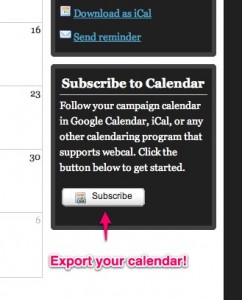
iCal/Webcal subscription
Want to follow your campaign calendar in iCal, Google Calendar, Outlook, or another calendaring application? Well now you can. Just click the subscribe button and import the webcal URL into whatever calendaring app you use.
Ascend Today
Remember, the calendar is an Ascendant only feature. If you want to be sure your players are up to date and show up on time, then Ascend today!




Obsidian Portal is the award winning Online Campaign Management System for tabletop role-playing games. It’s free to use, it can be accessed from any web browser and it's built from the ground up for gamers by gamers.
We host a huge community of tabletop RPG players who are all looking to get the most out of their tabletop gaming experience. You play your campaign and we help you manage it. It’s that simple.
I really dig the ability to follow the calendar. I rely on Google Calendar for a lot of scheduling, both with gaming events as well as managing my work schedule. This just makes it that much easier to keep up with what’s going on when without a lot of duplicate work. Nice update.
I am not a fan of sliding bars for selecting a time. Seriously. You do know that not everyone has fine motor skills with the mouse, right? Let me enter the time using keys, please.
Subscribable calendars, though? Yes! Awesome!
Hope a Recurring Event feature is in the plans, too.
I agree with everything Stephanie said, especially about subscribable calendars and recurring events.
I don’t mind the slider, but I did notice it only allows hourly events. No half-past or quarter-hour. Either your event starts at 2PM or it starts at 3PM. Nothing in between?
Otherwise, it’s looking good. Thanks for the work you guys do!
There are 2 sliders. The lower one is for choosing the minute.
I don’t think I would overly mind the sliders, but I definitely agree that being able to enter a time with the keyboard would be a nice option (and what I would be more likely to use, given the option).
Subscription is nice option for those who want to use it or already use Google Calendars or something similar.
Choosing the Minute!!
I’m lucky if i can get my players to turn up within an hour of the planned start time!
Ok maybe they are not all that bad, but what I would not give to be able to start a game on the minute, i set for the start.
I hear ya. There’s the “everyone shows up about this time” time, and the “everyone hangs out, goofs off and catches up time” time, and the finally somewhere down the line comes “it’s game time” time. I schedule for 6:00 PM; we usually get started about 7:30 or 8:00 PM.
Same here. Scheduled for 6:00, we’re doing well if funny Youtube videos are over and the dice start rolling by 7:00.
Pingback: Haste – Episode 6: Beyond The Stat Block, Freelancing 101, The Death of Fourthcore « Words in the Dark
Thanks for the update, it’ll be good to know once I save my pennies and subscribe to it.
Good luck with getting the players to start on time. I always tell my players to show up around 30-45 minutes before we actually start. That helps….most of the time.
Really like the calendar changes. I agree with the typed start time. Would also be nice if we could choose who of our player list we would like the reminders to go to. For instance if you have a few players on hiatus, no need to spam them with invites to a game they can’t attend.
One feature I would love to see is the ability to mark who attended. It would be neat to be able to do that as a simpler way to keep track of who was there and who wasn’t.